Logo kit
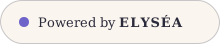
Powered by ELYSÉA
Badge and logo files, and the rules for displaying them in your application.
Preview

Download
- “Powered by ELYSÉA” badge — light background (SVG)
- “Powered by ELYSÉA” badge — dark background (SVG)
- ELYSÉA logo — light (SVG)
- ELYSÉA logo — dark (SVG)
- ELYSÉA logo — light (PNG)
- ELYSÉA logo — dark (PNG)


Usage rules
- Display the badge only if your application really calls the ELYSÉA pipeline with active SDK access. Anyone can check it on the public trust registry.
- Access revoked or application closed: remove the badge without delay.
- Do not change the text, colours or proportions. Minimum height: 24 px. Keep clear space around it.
- Do not display the “Verified — public measurements” level: it is only granted after a measurement procedure on sealed corpora, and is not issued yet.
- The badge means neither certification, nor medical device, nor promised result: do not suggest any.
- Recommended: link the badge to your application’s public verification page.